
How To Optimize Video Conferences
How To Optimize Video Conferences
Business changed in March 2020 as managers and executives needed to keep their teams close even with pandemic-related business closures. Videoconferencing services have helped us stay connected during the pandemic, whether to conduct business meetings or to check in with family and friends. We have all relied on services like Zoom, Google Meet, Microsoft Teams, or Skype — or maybe even all four. Although life seems to be slowly returning to some semblance of normal as vaccines proliferate through the population, experts predict Zoom won’t be going away. More and more businesses will permanently transition to remote work.
With an eye on the future, we’d like to offer several tips we’ve found to optimize our video calls that can be applied to any situation. These tips will ensure your presentation is top-notch, so you look and sound just right on your next video call.
Below, we offer up good/better/best suggestions, and you can adapt these to your environment and budgetary constraints to arrive at the best solution for your situation and needs.
Good: Optimize The Gear You Already Have
Start by working with what you’ve got. Whether you have an iPhone, tablet, laptop or PC, chances are you have a decent camera and earbuds with a built-in microphone. Focus on cleaning up your background and making sure you minimize distractions.
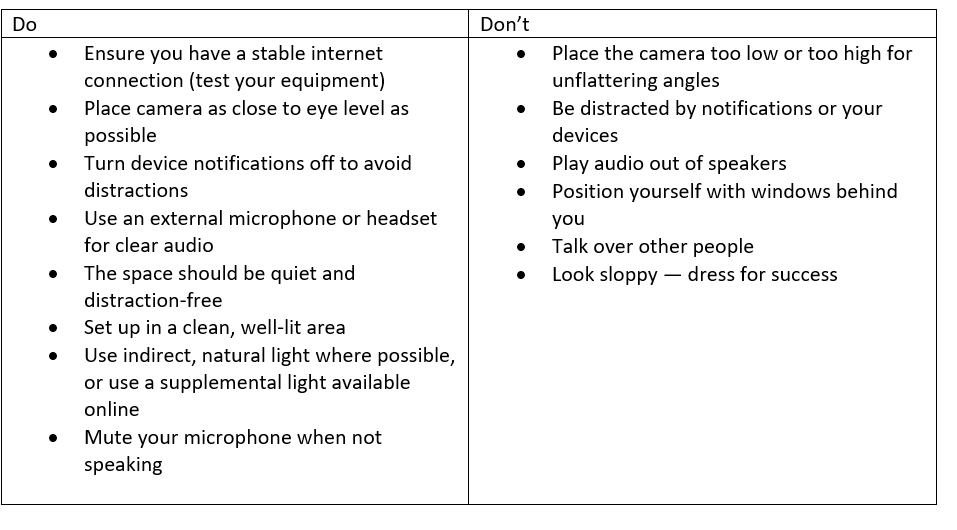
Good framing and lighting are essential — start by positioning your camera as close to eye level as possible. Doing so provides a more natural look on-camera, rather than the unflattering “up-the-nose” shot or the camera looking down on your forehead.
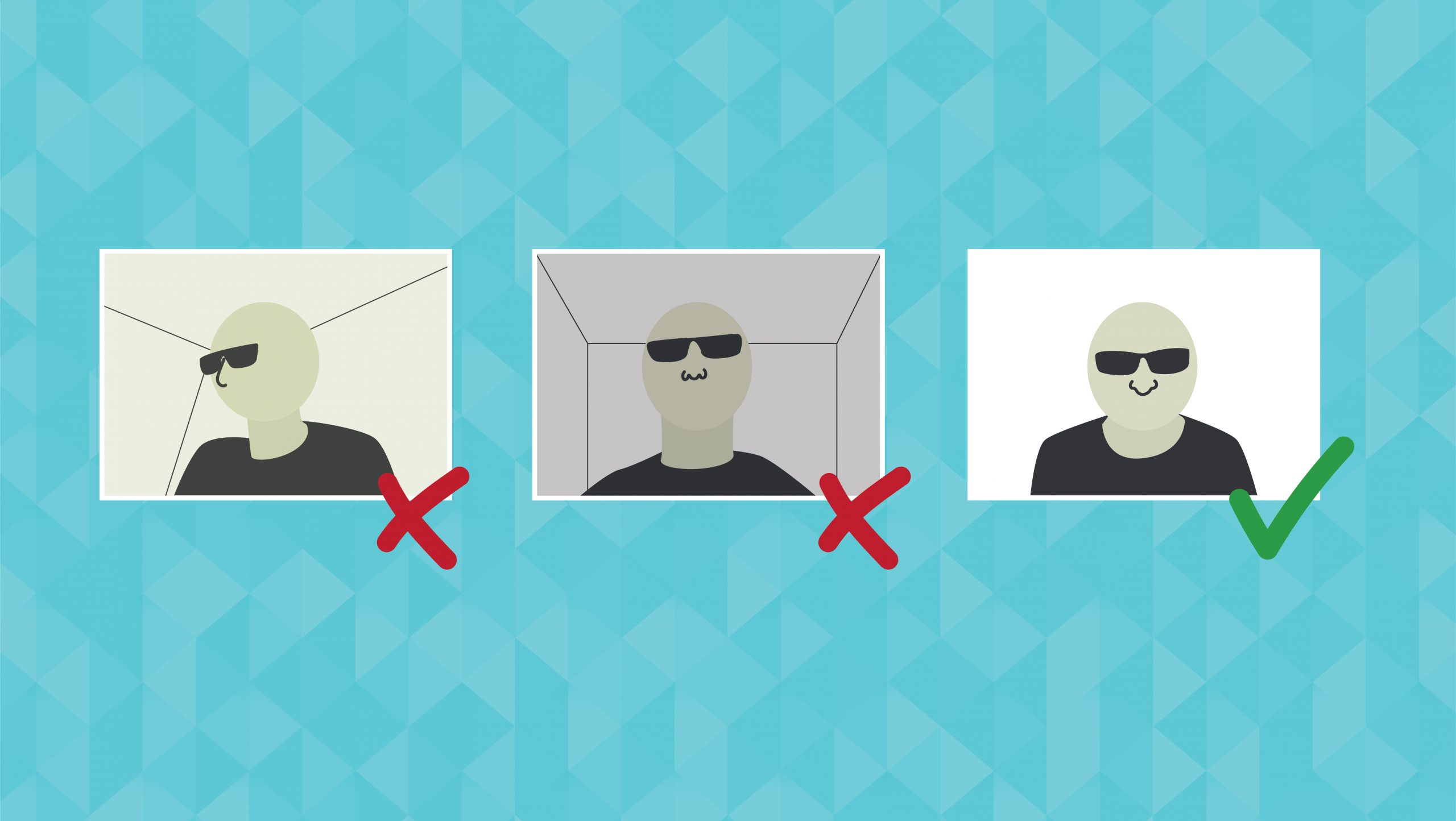
A good source of soft, natural light is a window. If you’re taking your calls from a mobile device or a laptop, position yourself so the window is behind the camera source; the window becomes your light source and will do an excellent job of lighting your face without being too harsh.
Using Bluetooth headphones with a built-in microphone is the simplest solution for clear audio.
Better: Improving Your Current Setup
If you are doing more frequent video calls, don’t have the mobility to set up in a different place, or want to step up the quality of your calls, don’t fret. You can buy new equipment to set yourself up for success. But what equipment do you need to buy — and why?
- LIGHTS: Lighting is the most critical variable when it comes to setting up a clean appearance. You want your subject (yourself) to be slightly brighter than your background. If you are using a window as your main light, your background will likely receive the same amount of light from the window as your face will receive. You can supplement the natural light or fill in shadows on your face with a small desktop lamp like a Lume Cube or ring light.
- AUDIO: If you are working from a PC or a laptop, the next step in improving audio is an external microphone like the Blue Yeti. A quality external microphone allows you to control the sensitivity directly on the microphone before the recording software processes it and gives you more control over how you sound to listeners. As far as listening goes, a good set of Bluetooth air buds will do without being too visually distracting to your viewer.
- VIDEO: Let’s be honest, most built-in webcams are not of the best quality. In the past several months, camera manufacturers like Sony and Canon have released updates that allow you to use your point-and-shoot, SLR, or mirrorless cameras as webcams. This means you can use the same type of camera professional photographers and videographers use as your webcam for your next virtual happy hour. The great thing about these cameras is that you have full control over your image. You can control how blurry your background is to focus on you and how light or dark the overall picture is, all in high quality. This strategy requires photography knowledge to set up correctly and is relatively expensive but not unreasonable.

Good framing and lighting are essential — start by positioning your camera as close to eye level as possible.
Best: Purpose-built Podcast/Studio Setup
Suppose you need to commit to taking your video conferencing or virtual hosting space to the next level. In that case, your strategy should encompass organizing and adequately equipping the area with the right equipment to provide the optimum result. You can carry over much of the equipment from the previous section for a purpose-built studio, so your area becomes more about setting the space up to reflect your desires.
Set up space in your home dedicated to your video calls — a place that gives you complete control over lighting, ambient audio, and any other factors that might play into the production quality. Having a dedicated space allows you to curate your background to support your onscreen personality.
Ultimately you can develop an area that is mild or wild depending upon your goal. If you’re sitting in meetings with coworkers, it will likely be perfectly acceptable to optimize what you have with just a few tweaks. But if you’ve realized that you’re creating an all-new business focused on webcasting, you might want to step up and purchase new equipment that will present you as a professional in your area of expertise.